mirror of
https://github.com/onyx-and-iris/vban-tui.git
synced 2026-03-23 18:29:17 +00:00
 onyx-and-iris
ae39a318d9
onyx-and-iris
ae39a318d9
use it to disable the RichLog and load the tui_no_log tcss.

update README and add no log screenshot
1.7 KiB
1.7 KiB
vban-tui


Install
With uv
uv tool install vban-tui
With pipx
pipx install vban-tui
The TUI should now be discoverable as vban-tui
Configuration
Flags
vban-tui --host=localhost --port=6980 --streamname=Command1
Additional Flags:
- --rich_log/--no-rich_log: Use this to disable the RichLog window.
- This is useful if you're sending commands to Voicemeeter because you won't receive any responses anyway.

Environment Variables
example .envrc:
#!/usr/bin/env bash

export VBAN_TUI_HOST="localhost"
export VBAN_TUI_PORT=6980
export VBAN_TUI_STREAMNAME=Command1
Use
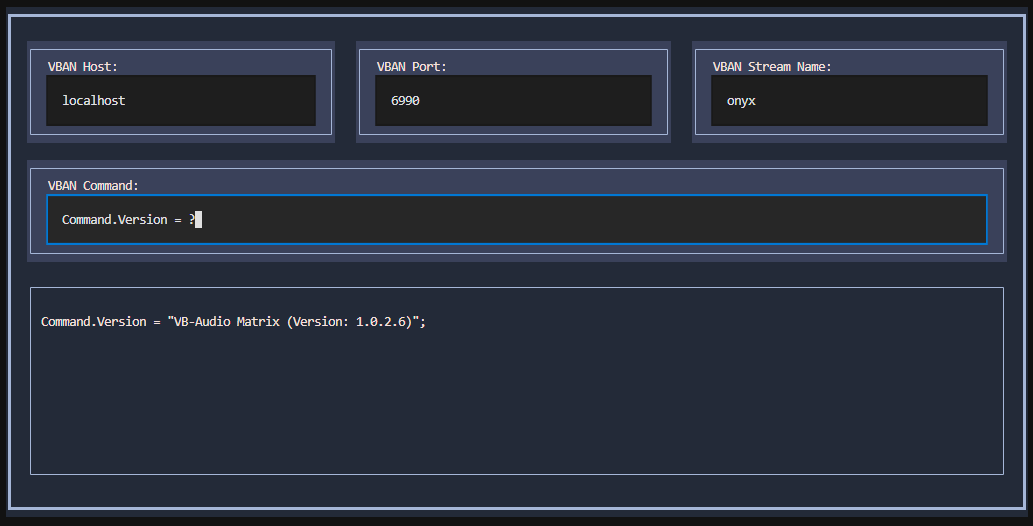
The TUI should load with the request input focused. Simply type in your request and press ENTER.
If you enter the request clear the output log will be cleared.
Press Ctrl+q to exit from the TUI.
Command History
Press up/down while focused on the request input to scroll through the command history.
Notes
This TUI supports the following:
- Sending requests for Voicemeeter
- Sending requests and receiving responses for Matrix
If you need to send requests and receive responses for Voicemeeter check out vban-cli
License
vban-tui is distributed under the terms of the MIT license.